Share Charts/Dashboards
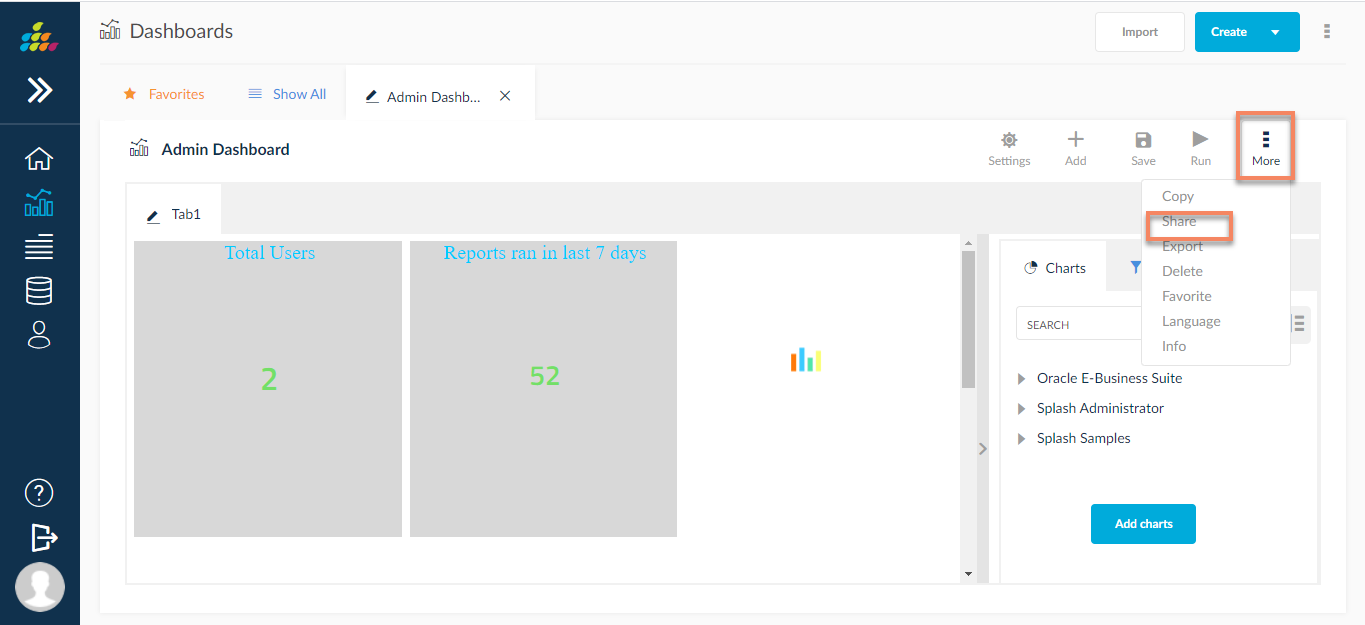
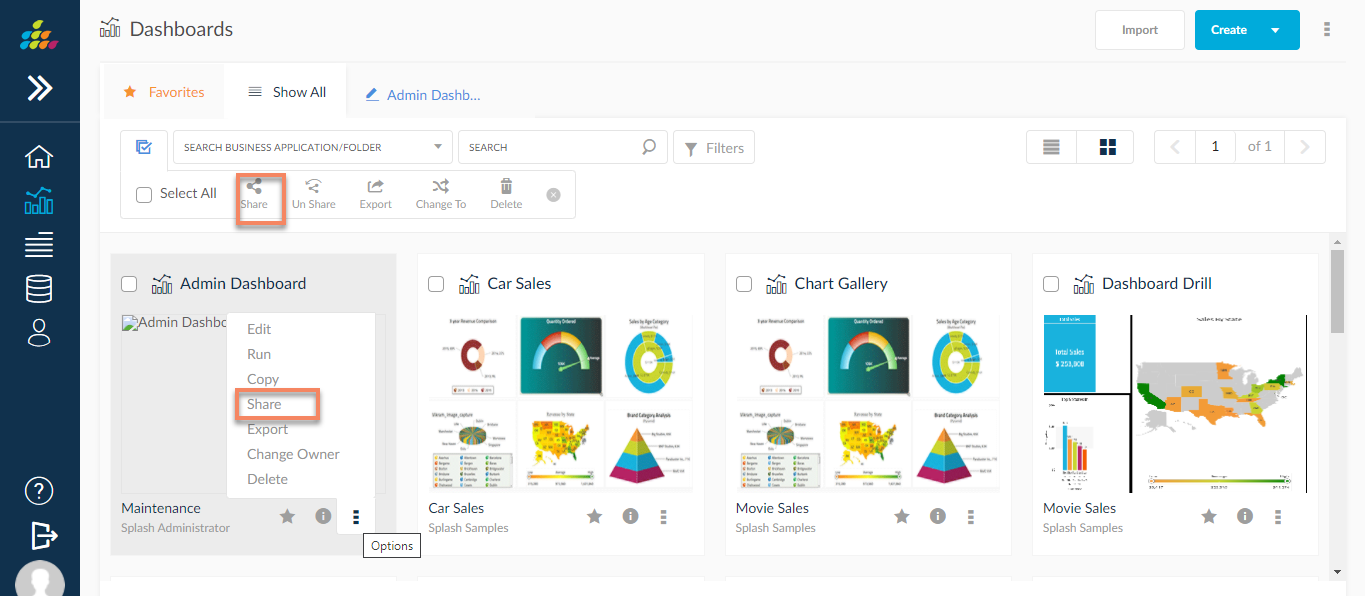
Users can share charts/dashboards to different end users in and outside the SplashBI environment. The user can share one or multiple charts/dashboards. Once a Chart/Dashboard has been created or edited, the Chart/dashboard is ready to be shared with the end users. The option to share a Chart/Dashboard can be located in one of three different places:
- List View Screen, in the mass edit option or in the Action drop-down menu
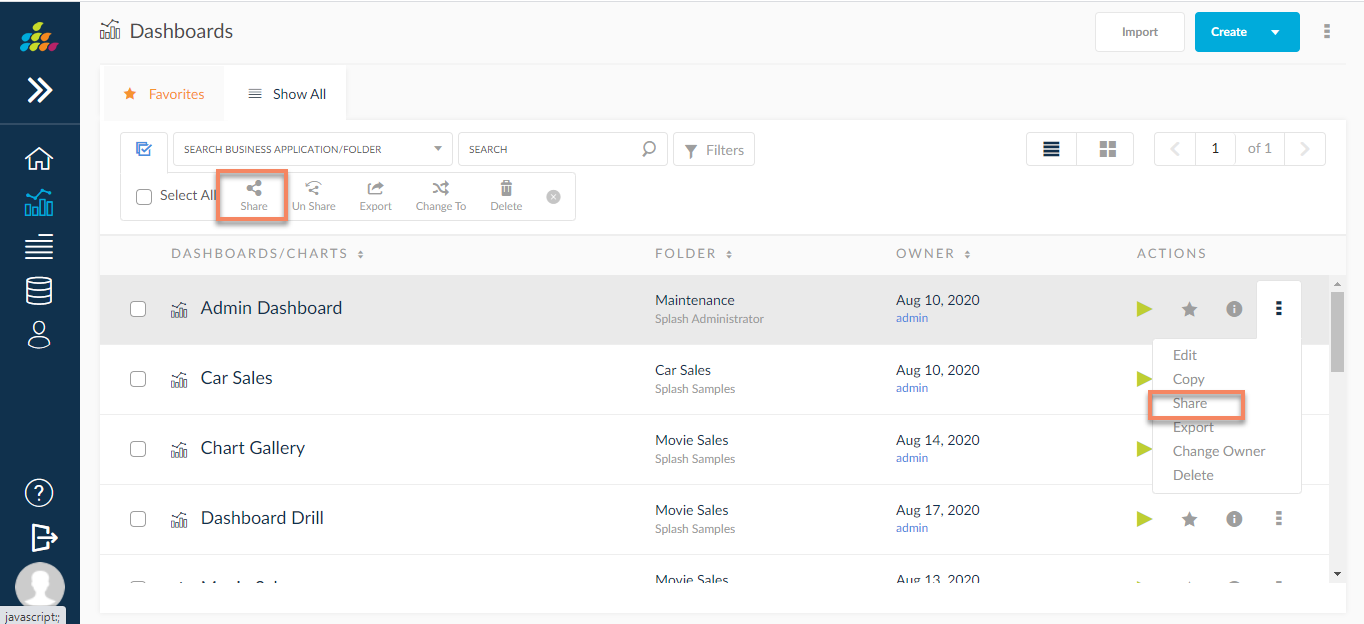
- Chart/Dashboard Configuration Screen
- Grid View, in the Action drop-down menu
- Once the user clicks on the Share icon, a pop-up screen will be displayed with end users listed as individual users or by user groups.
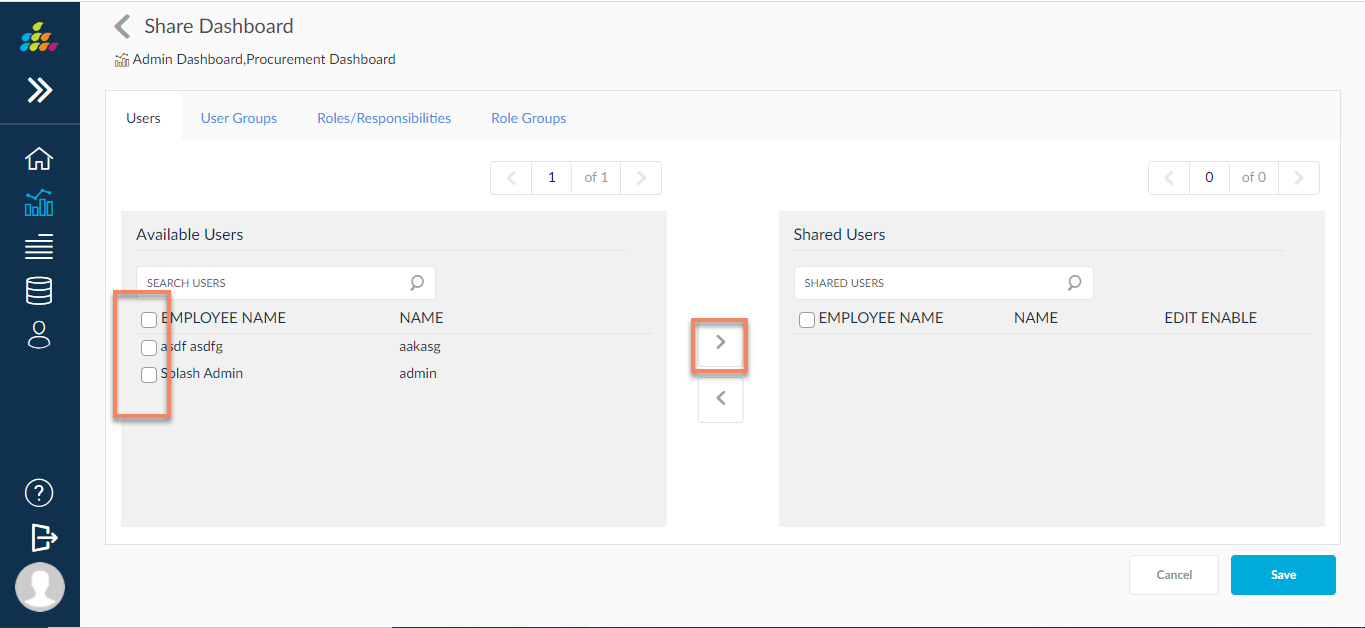
- Select the users to share the chart with by clicking on the check boxes to the left of their name, then click the > arrow located in the middle of the
screen to populate those users/user groups into the shared users list. Once the shared users list is complete, click Save.